



Key Takeaways
-
A Kanban board is a visual system for managing marketing workflow, showing how work moves from request to delivery—and revealing where it gets stuck.
-
The simplest Kanban board starts with To Do → In Progress → Done, but most marketing teams should add Review/Approval to reflect real stakeholder feedback cycles.
-
In Kanban, work doesn’t go “back to the backlog” once it’s started—keeping items in progress helps expose interruptions, priority churn, and hidden bottlenecks.
-
The health of your process is reflected in flow: how quickly cards move across the board. Faster, steadier flow = a healthier system.
-
High-functioning Kanban boards share five essentials: workflow stages, clear cards, explicit policies, WIP limits, and feedback loops that drive continuous improvement.
-
WIP limits are the focus-protection mechanism: they reduce multitasking, surface bottlenecks, and improve throughput by forcing finishing over starting.
-
Marketing teams can tailor Kanban boards by adding columns (workflow states) and swimlanes (capacity, priority, work type, or campaigns/events).
-
Use a board template that matches your dominant work: simple marketing, Scrumban for sprint-based planning, individual swimlanes for capacity visibility, or function-specific boards like SEO, content, events, design, and email.
-
Boards become more useful when they include “real-world” constraints like Waiting on 3rd Party and multiple review stages (internal vs external).
-
To build your first board quickly: start with the closest template, name stages as you actually use them, define Ready/Done, add one small WIP limit, set a single intake “front door,” and tune the system with a lightweight cadence.
-
Common failure modes include treating the board like a to-do list, skipping WIP limits, overcomplicating too early, and letting Review become a parking lot.
-
Physical boards work best for co-located teams and habit-building; digital boards work best for remote/hybrid teams, high volume work, and linking assets plus reporting.
-
A Kanban board is not the same as a task list: the difference is that Kanban manages flow with explicit policies and WIP limits to improve delivery predictability and speed.
-
The best Kanban boards are never “done”—they evolve as the team learns, improves, and adapts to changing marketing demands.
Once a relatively unknown framework outside of IT, Kanban's popularity in the marketing industry has recently exploded.
Since Kanban is less prescriptive than its cousin Scrum, and many marketing teams struggle to confine themselves to sprints, it's not surprising that this adaptive option is appealing.
At the heart of this framework lies the Kanban board, which, depending on the specific needs of each team, can look very different. For marketers building their first board, the flexibility can actually feel overwhelming.
How do you know what your first Kanban board should look like?
To help you tailor the perfect Kanban board for your specific type of marketing work, we gathered ten board examples that have proven themselves effective among the teams we’ve coached. But first, let’s have a look at the guiding principles of every good Kanban board.
Kanban Board 101
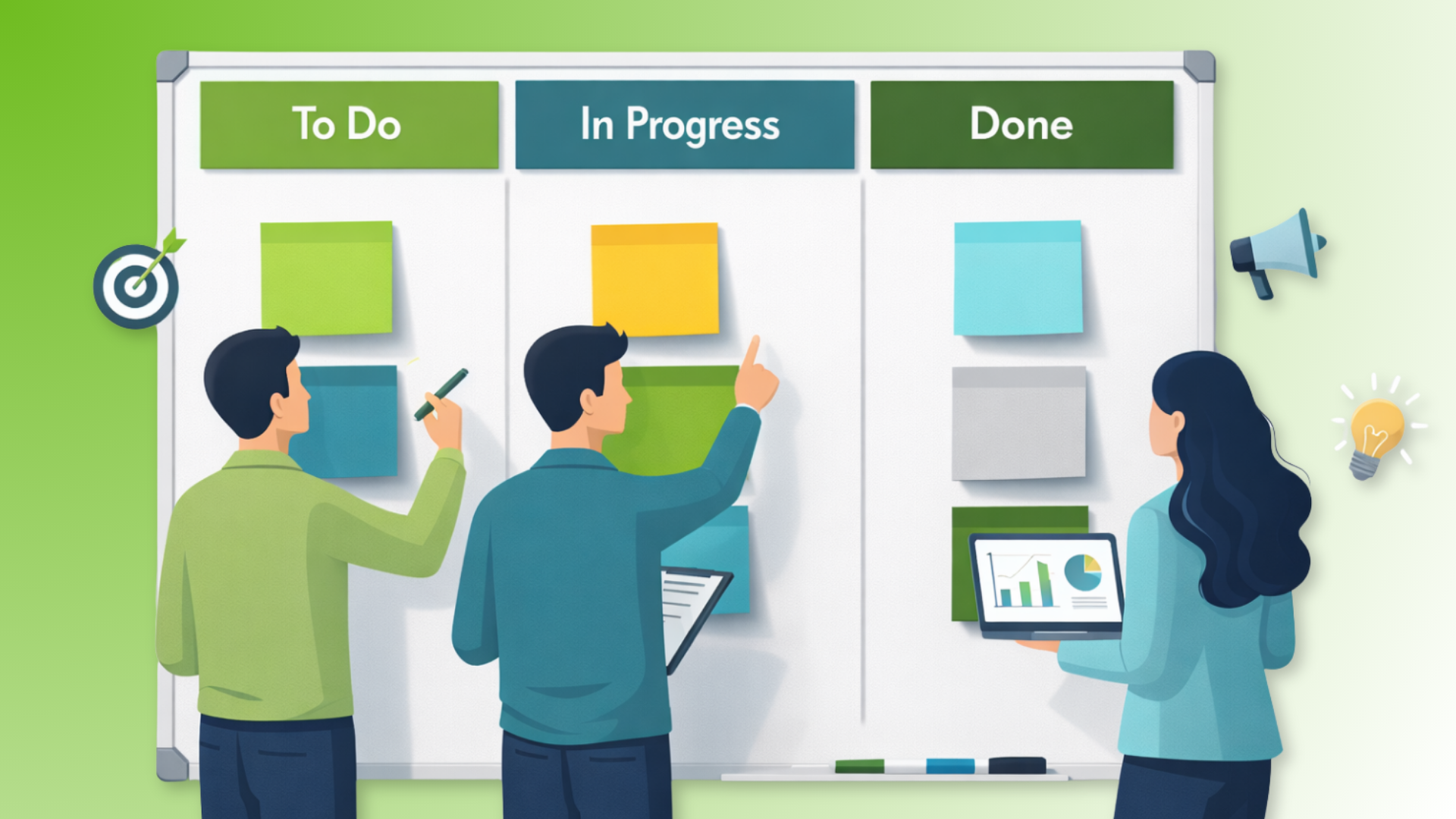
The Kanban board is a visual tool representing your process and the work items that pass through your workflow. Each of them is visualized with a Kanban card that contains concise information about the task it represents. You might include assignee, deadline, and a brief description of the work on your card.
The most basic board layout consists of three columns that represent the most common states of any work item:
- To Do
- In Progress
- Done
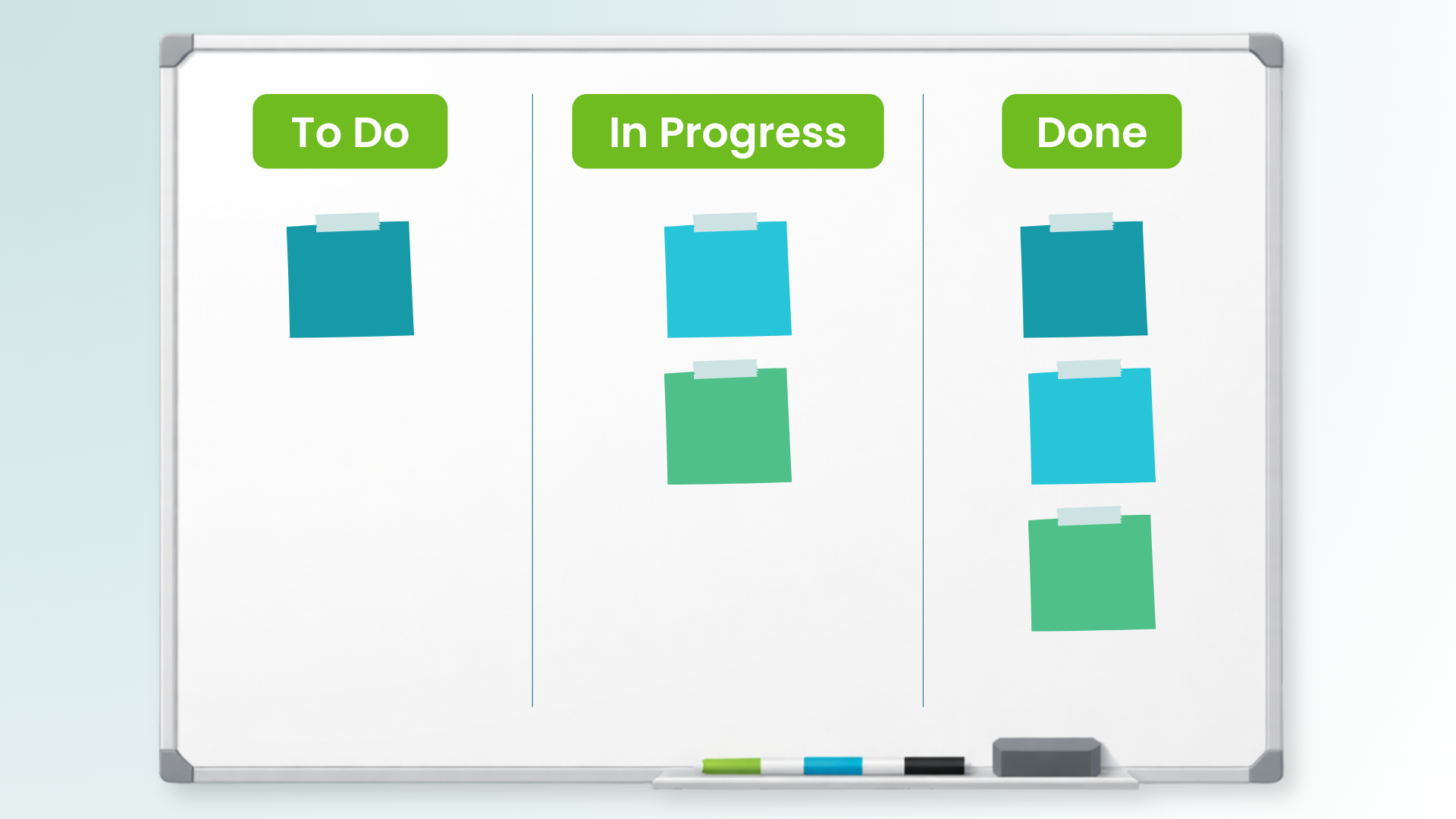
Every task that your team has occasion to work on begins in the left-most “To Do” section of the Kanban board. Alternative names for this column include "Backlog," "Requested," or "Ready to Start."
“In Progress” is for work items that your team is currently working on or has started, but aren't done yet. It's crucial to remember that once you put a card in this stage of the Kanban board, there's no going back. You shouldn't return it to the backlog.
This also applies to situations when you are forced to stop working on the card for a while and work on something more urgent in the meantime. The first card stays In Progress until it's done; it doesn't return to the Backlog while you tackle something else. This element of Kanban can help you identify when unplanned work is causing issues.
“Done” is the final stage of a Kanban board. Here, you put tasks that are completed and delivered to the customer.
The pace at which work items flow from the leftmost to the rightmost section of your visual workflow indicates the health of your team’s process. Faster flow = healthier process.
With the basics laid out, let’s explore how you can advance your implementation of the Kanban board by tailoring it to your team’s needs.
Core Elements of a High-Functioning Kanban Board
A Kanban board can be as simple or as detailed as your team needs—but the best boards share a few core elements. If you get these right, your board becomes more than a task tracker. It becomes a system for improving how work flows through your team.
Workflow Stages (Columns)
Columns represent the real steps work moves through—from request to delivery. The goal isn’t to create a “perfect” process map, but to reflect the stages that actually matter for your team (especially handoffs like reviews and approvals).
Work Items (Cards)
Each card represents a single piece of work moving through the system. Cards should be clear enough that anyone can understand what the work is, why it matters, and what “done” looks like—without needing a meeting to decode it.
Explicit Policies
High-functioning boards don’t rely on tribal knowledge. They make key rules visible: what qualifies as “Ready,” what can be pulled next, what happens when something is blocked, and what standards must be met before a card moves forward.
Work-in-Progress (WIP) Limits
WIP limits protect focus and reduce overload. Instead of starting more work when things get busy, the team finishes what’s already in motion. This is one of the fastest ways to reduce multitasking, expose bottlenecks, and improve throughput.
Flow + Feedback Loops
A Kanban board should help you spot where work slows down—and give you a way to improve it. Regular check-ins (replenishment, delivery reviews, service reviews, or retros) turn the board into a continuous improvement tool, not just a visual backlog.
With these elements in place, you can start simple and still build a board that scales—because you’re improving the system, not just adding columns.
Simple Marketing Kanban Board
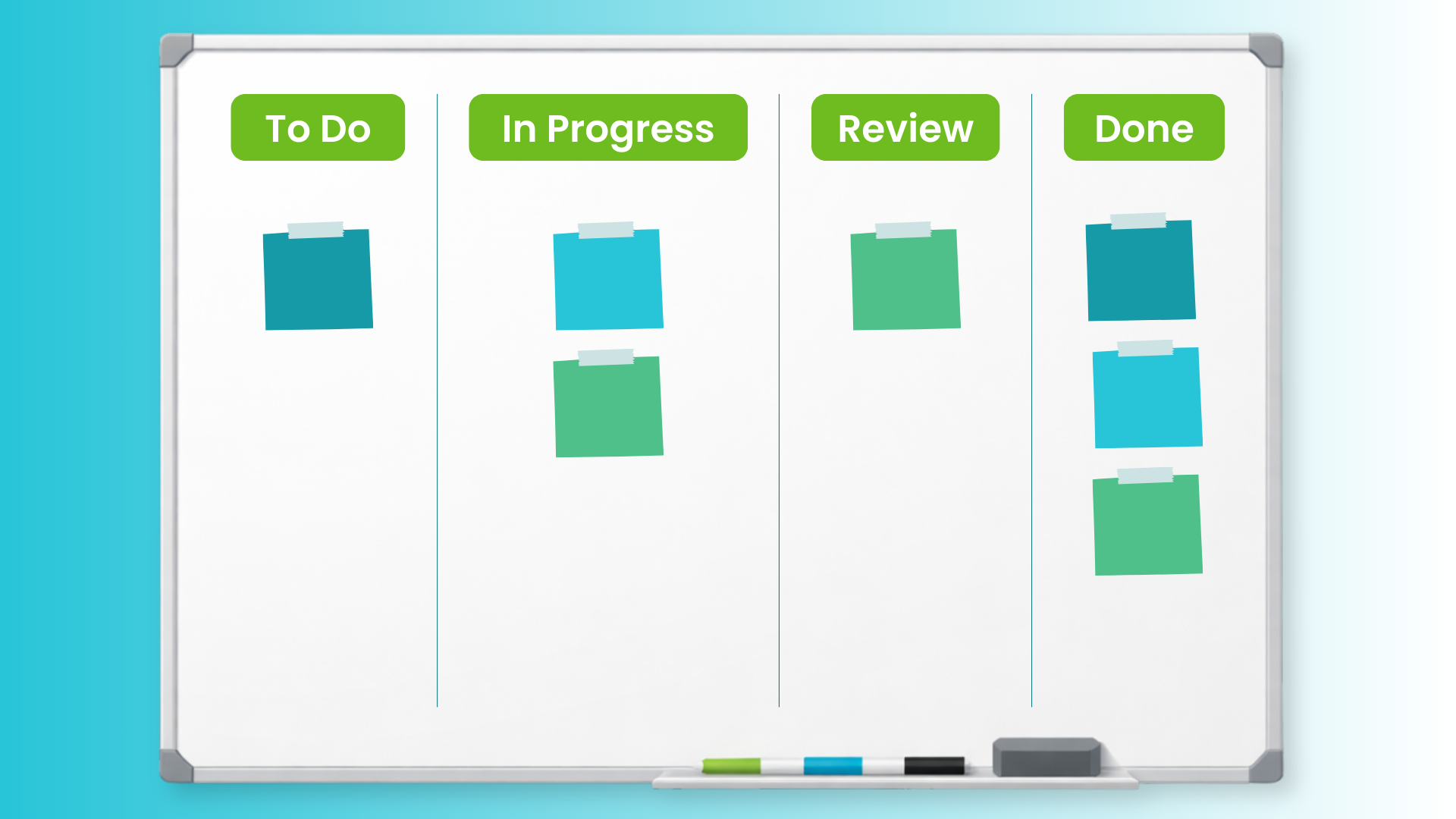
A practical starting board for any marketing team would consist of the following columns:
- To Do
- In Progress
- Review
- Done
As you can see, it's very similar to the basic Kanban board design. The main difference is the additional of another column for tasks that are awaiting a review by a colleague, manager, or external stakeholder.

Depending on your specific way of working, you can either submit assignments for review at an early stage to get timely feedback and spend less time fixing potential problems, or leave cards In Review when the assignment is finished and needs to be approved.
When the reviewer is done, they should either move the card to Done or return it In Progress if there’s more to be done.
Scrumban Marketing Board
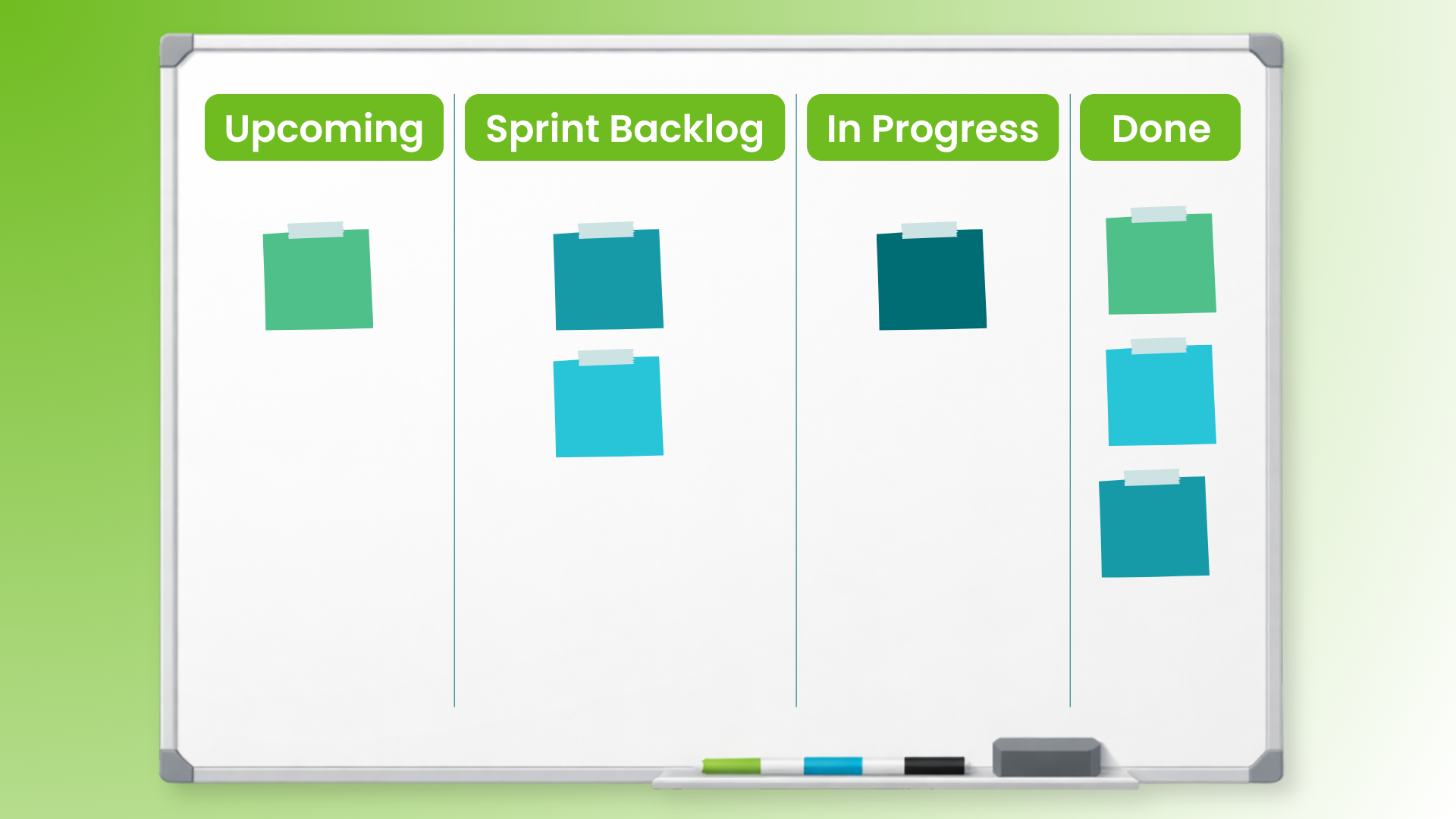
This board layout has proven successful for teams that have chosen a hybrid approach to their Agile marketing implementation. If you prefer working in Sprints, then a Scrumban board consisting of the following columns will serve you well:
- Upcoming
- Sprint Backlog
- In Progress
- Done
The first column is dedicated to work items that have to be accepted and prioritized, but the team hasn't yet committed to tackle. By keeping them in Upcoming, you can discuss them during your planning sessions and agree on what to include in the next sprint.
As soon as you commit an item for the upcoming sprint, you can add it to the Sprint Backlog column of the board.
The Sprint Backlog contains a chunk of the Upcoming backlog destined for the next timebox of work. From there, the In Progress column operates as a host for active work, while Done refers to the work items from the Sprint Backlog that have left the system entirely.
If you feel the need to add a review column, you're welcome to do so for boosting clarity around the approval process.
Marketing Board with Individual Swimlanes
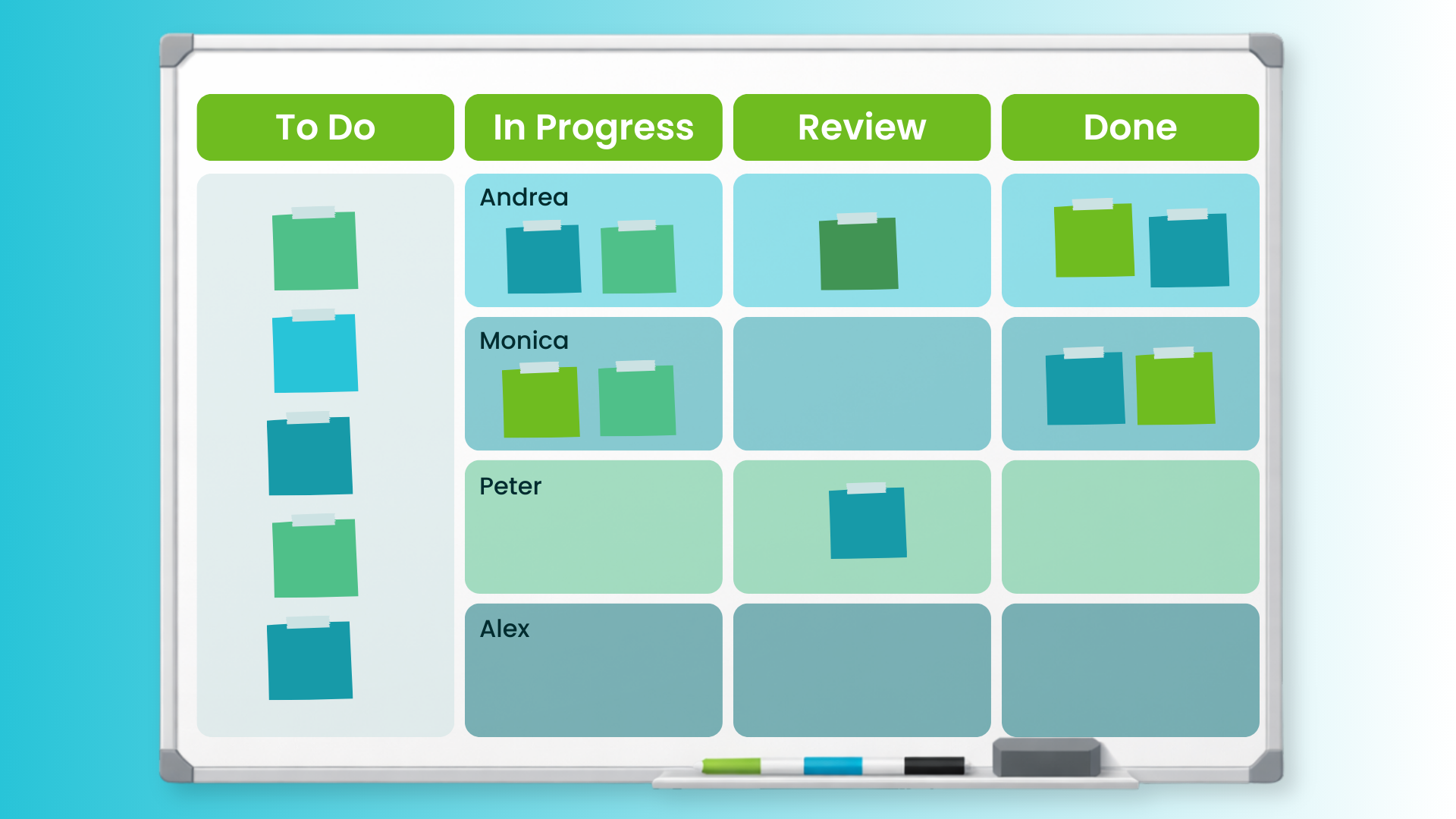
This is a perfect example of a great marketing Kanban board for teams that are in the early stages of their Agile journeys. Teams who have not yet moved to a cross-functional way of executing their team tasks can benefit from mapping their work in separate horizontal swimlanes.
This individually-focused board consists of the following columns and swimlanes:
Columns:
- To Do
- In Progress
- Review
- Done
Swimlanes:
- Andrea
- Monica
- Peter
- Alex
You're already familiar with the columns, but with this Kanban board, we're introducing swimlanes. These horizontal dividers of the board have various uses that we’ll explore in the next few boards.
In this particular use case, the swimlanes serve as capacity indicators.
Each member of your team keeps their tasks in their respective lane of the board. As a result, it's absolutely transparent how many assignments each member has in progress. Even better, everyone can see at a glance what else is on their shoulders for later in the To Do column.
This allows managers to manеuver and delegate assignments in a way that requires less time waiting on available capacity from a specific person. Also, it allows them to protect their employees from getting overburdened by removing some work from team members who are working beyond their capacity.
Marketing Board with Shared and Individual Swimlanes
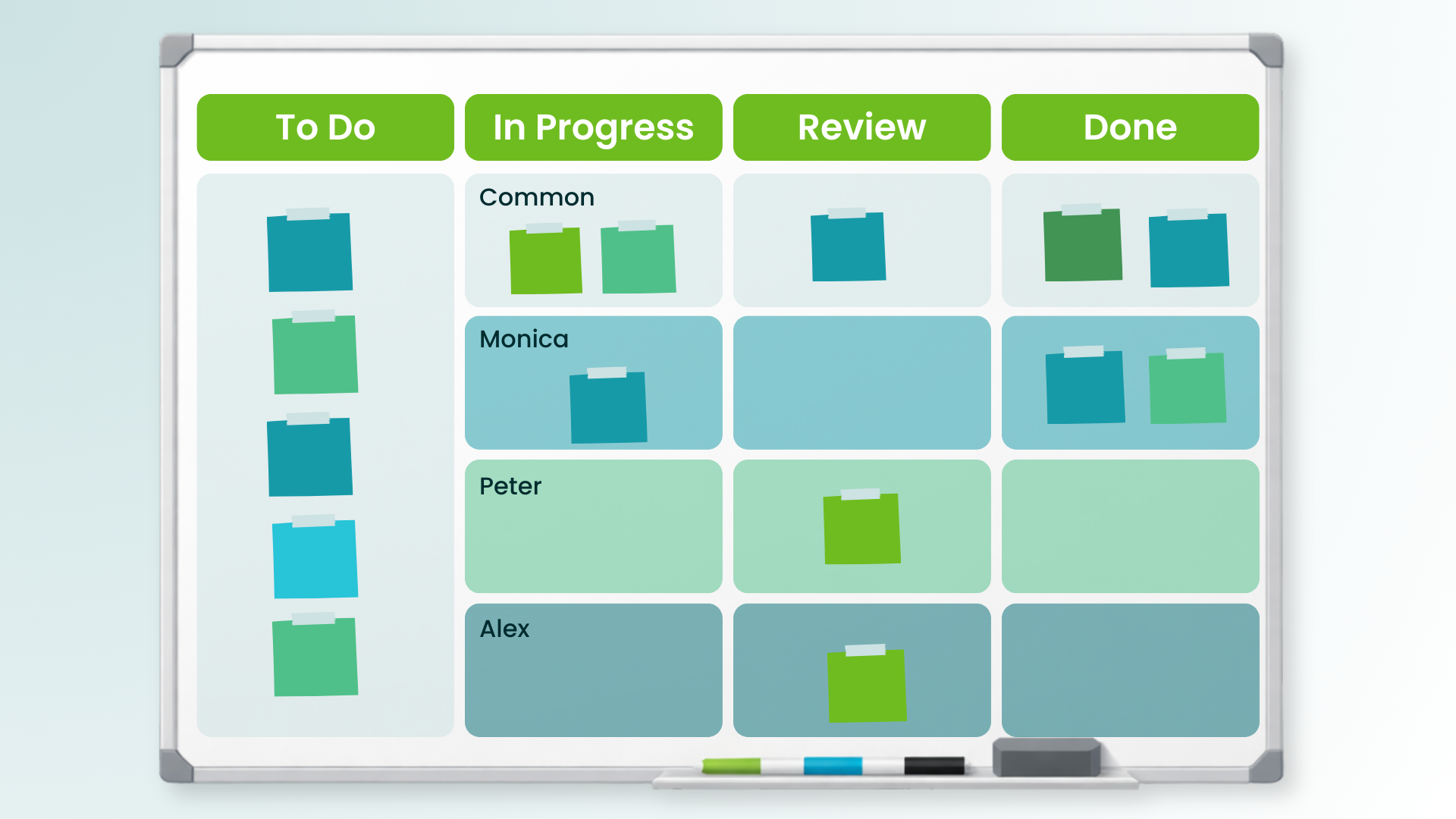
The next marketing Kanban board on the list is a direct descendant of the one with individual swimlanes. As teams integrate more opportunities for shared work and become more cross-functional within their units, shifting from individual swimlanes to a combination of shared and individual will help them highlight work that they can collaborate on. This combo board consists of:
Columns:
- To Do
- In Progress
- Review
- Done
Swimlanes:
- Common
- Monica
- Peter
- Alex
The new swimlane on top of the board is dedicated to work items that more than one person can process. The individual swimlanes on the other hand are dedicated to tasks that are exclusive for the skillset or functions of the specific team member to which they are assigned.
Applying this marketing Kanban board layout will allow you to optimize your capacity further. You'll still have a clear overview of each person’s workload, but you will no longer have to manually assign tasks to each individual.
This configuration allows the team more control around how they distribute work amongst themselves.
Advanced Digital Marketing Board
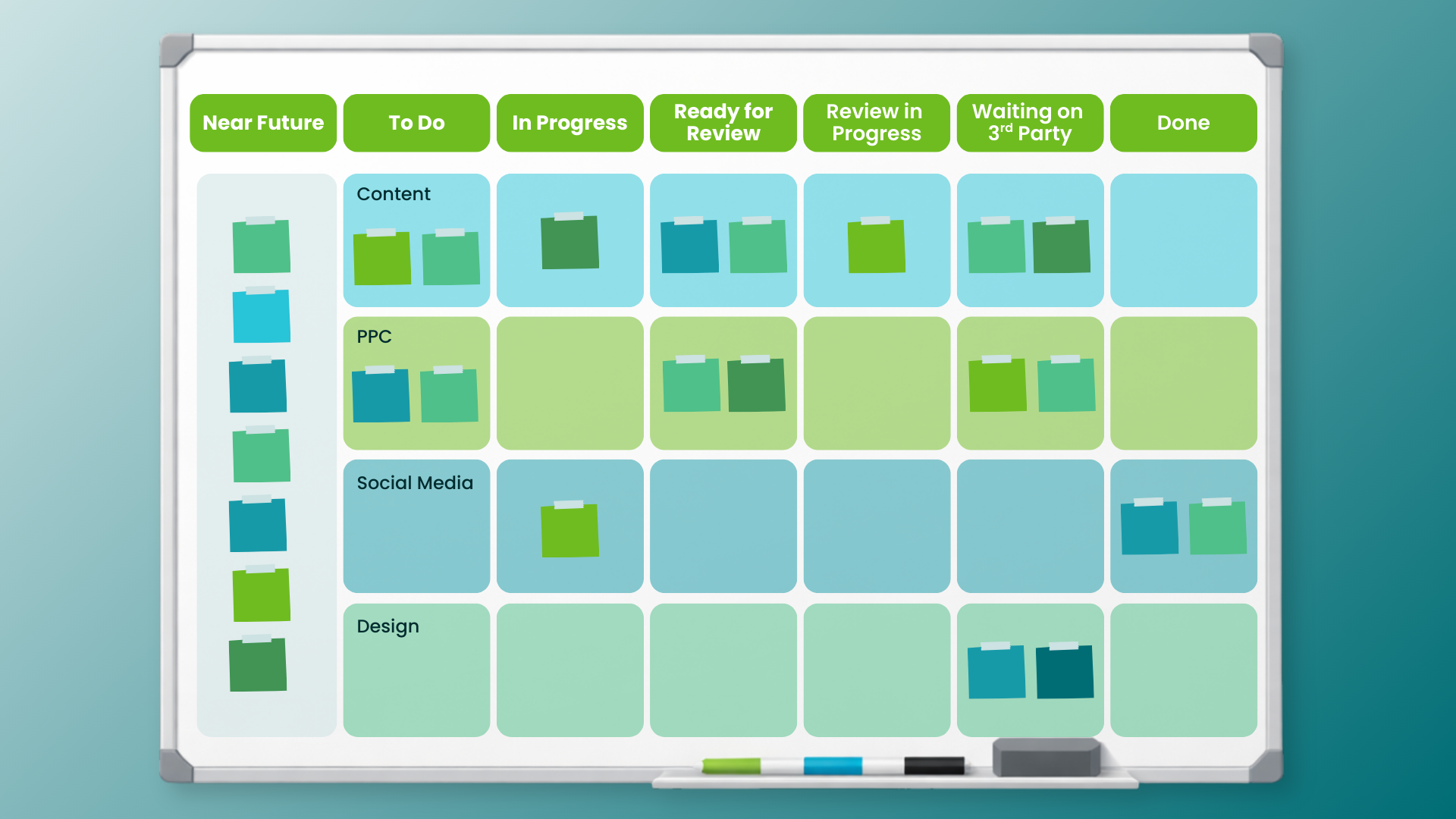
Growing in complexity, this Kanban board design is suitable for digital marketing teams with some experience with Agile frameworks. It consists of the following columns and swimlanes:
Columns:
- Near Future
- To Do
- In Progress
- Ready for Review
- Review in Progress
- Waiting on 3rd Party
- Done
Swimlanes:
- Content
- PPC
- Social Media
- Design
This board design facilitates a deeper understanding of the elements of the workflow.
The Near Future area of the board is dedicated to tasks or ideas that have not been prioritized yet or currently have low priority. It's extremely useful when you plan for a month or a quarter in advance and visualize the future assignments on the board.
When the time for processing gets closer, you should move a task to the To Do area to indicate that it's on deck.
As with the previous board designs, the team will pull cards to In Progress, and as soon as they have something they can receive feedback on (or they have completed the task), they indicate that a review is needed.
This board also adds a new column, Waiting on 3rd Party, dedicated to tasks that await action from somebody who is not on the team. It's there to indicate that you have little control over the card at this moment.
The swimlanes serve as dividers between the different functions within the team. In a standard digital marketing team, this could include content marketing, SEO, advertising (PPC), and so on.
With these in place, you can see where you could use reinforcement, or process improvement, depending on the situation.
Content Marketing Kanban Board
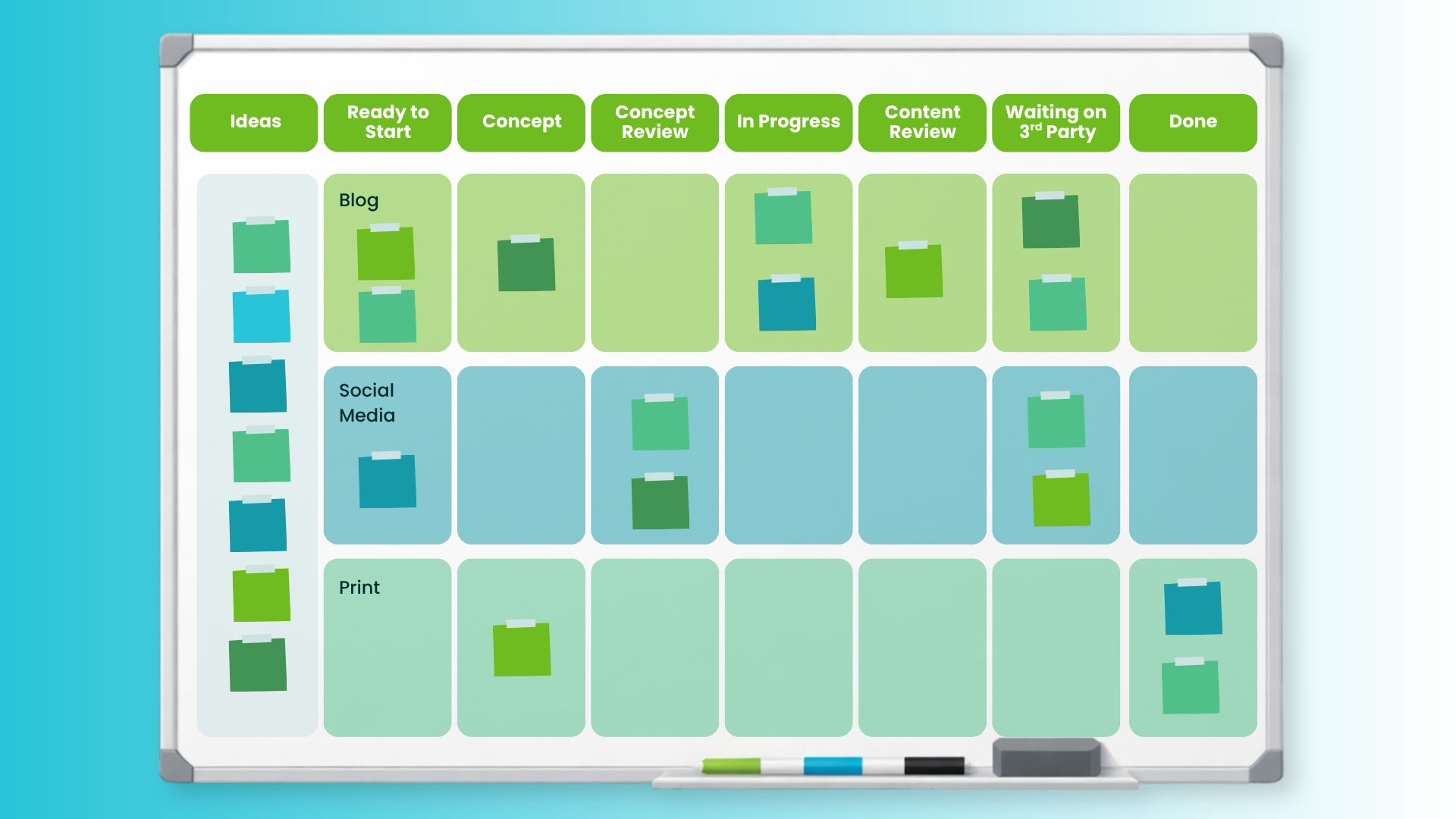
In case your implementation is at scale, which requires more than a swimlane for any team function, there are several marketing Kanban board designs that will come handy. The first one is dedicated to content marketing and features the following columns and swimlanes:
Columns:
- Ideas
- Ready to Start
- Concept
- Concept Review
- In Progress
- Content Review
- Waiting on 3rd Party
- Done
Swimlanes:
- Blog
- Social Media
When visualizing the process steps, this design takes into account all major steps in a content marketing process. The first column is dedicated to ideas that may require some time to mature and there’s no rush to start them.
You'll notice that there is a stage dedicated to detailed conceptualization, which you can refer to as "Research." In this column, you'll actively undertake the groundwork for any content you are working on.
The board design also includes specific steps dedicated to reviewing the concept before spending any time on creating something that deviates from the asset that you need.
From there, the board follows the direction of the advanced marketing board with one more review stage before signing off a content asset for publication.
The swimlanes on the board are meant to group the different types of content that the team creates. In this case, they are blog content, social media content, and print content assets like brochures, billboards, etc.
Before you keep reading — the 9th Annual State of Agile Marketing Report is almost here. Be first to get the findings.
SEO Board
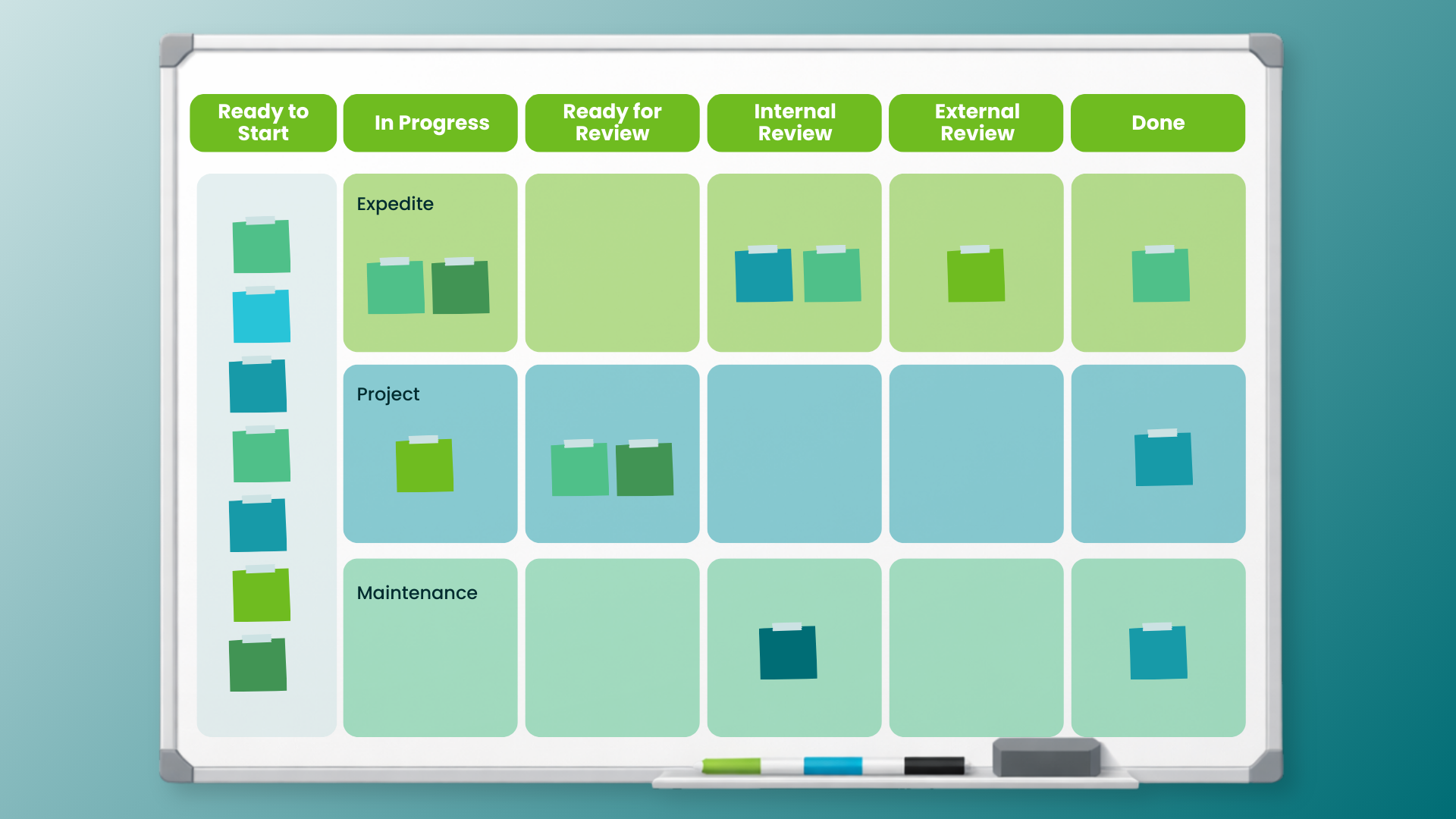
The next marketing Kanban board on the list is dedicated to SEO-related work. It would serve large SEO departments well. If features the following columns and swimlanes:
Columns:
- Ready to Start
- In Progress
- Ready for Review
- Internal Review
- External Review
- Done
Swimlanes:
- Expedite
- Projects
- Maintenance
The board design is designed with agencies in mind, so there are two review steps. One for internal stakeholders and one for external or clients.
The swimlanes represent the priority of SEO-related tasks. In the top one that’s named Expedite, you must put only assignments that have a very high cost of delay and would cause significant losses if not addressed immediately. Be wary about that, and avoid putting any cards in there unless absolutely necessary.
In Projects, you can flow any SEO-related initiatives and projects with high impact. The last swimlane is called Maintenance, is dedicated to maintaining your website in the best possible shape for search engines to rank it highly. An example of this would be cards for reducing the size of images on your website or fixing broken links as they pop up.
Event Management Board
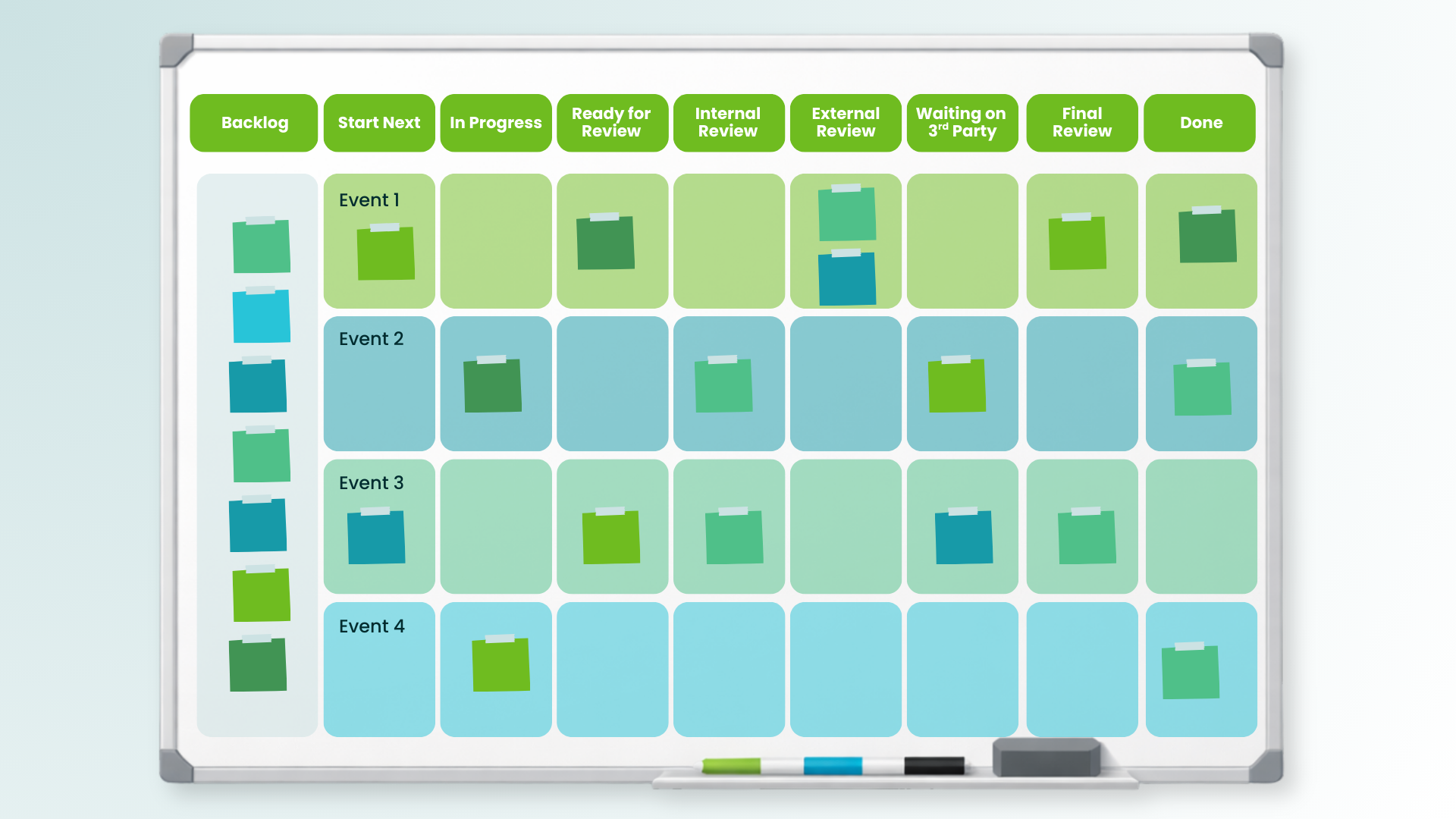
Event management is another marketing function that can be visualized perfectly on a dedicated Kanban board for greater transparency. A typical event management board would feature the following columns and swimlanes:
Columns:
- Backlog
- Start Next
- In Progress
- Ready for Review
- Internal Review
- External Review
- Waiting on 3rd Party
- Final Review
- Done
Swimlanes:
- 1st Event
- 2nd Event
- 3rd Event
- 4th Event
As events teams are usually working from a pre-assigned docket of annual events, the Backlog of this board will likely contain tasks that contribute to dozens of events that are currently in flight.
Separating the general Backlog from Start Next allows the team to create focus around the highest priority tasks for all in-flight events in the coming 1-2 weeks. For example, a typical task that might flow from Backlog to Start Next at the beginning of a project would be to secure a venue. Without that in Done, there’s little point of working on tasks like ordering catering or booking a DJ.
Once again there's a special focus on reviewing progress from both internal and external stakeholders.
Since event management is related to communicating frequently with third parties like venue managers, official guests, media, caterers, and many more, Waiting on 3rd Party is a vital column. It serves the function of reminding the team to check in once in a while and make sure they are actively keeping third party vendors on track and on time.
If you only work on up to 10 events at a time, dedicating a swimlane to each event that you are organizing is a good way to keep all tasks related to an event grouped.
Design Board
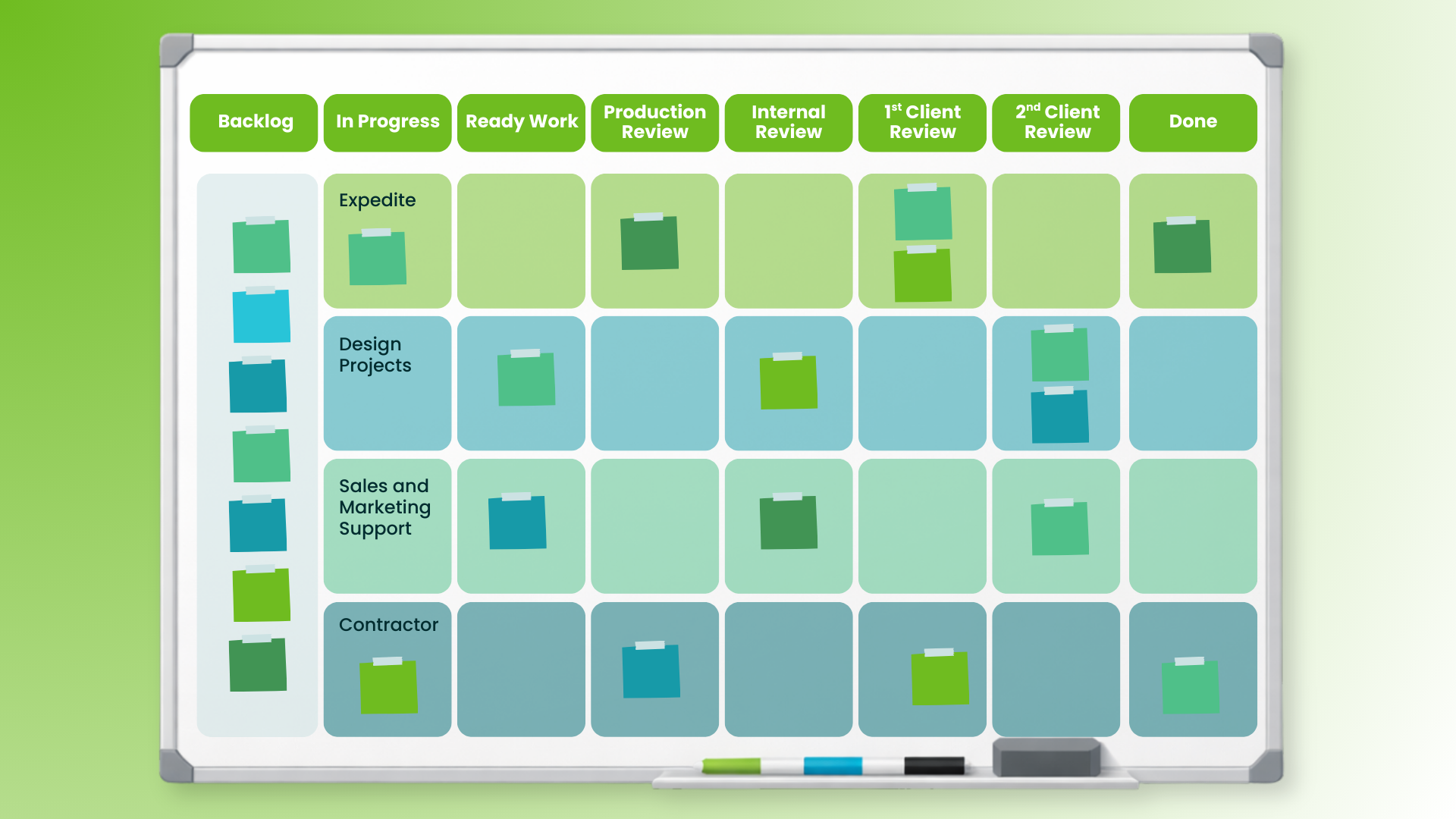
Another marketing function that is fitting to have its own dedicated Kanban board is design. Typically, it's chaotic with a lot of ad hoc tasks that come in at the last minute and require immediate attention. As a result, the efficiency of the team usually suffers or the team is forced to resort to heroics in order to save the day.
Kanban boards can help with navigating this messy situation by making the progress of the requested designs transparent to stakeholders and adjacent teams collaborating with the design team. A great example of such a Kanban board would contain the following columns and swimlanes:
Columns:
- Backlog
- In Progress
- Ready Work
- Production Review
- Internal Review
- 1st Client Review
- 2nd+ Client Review
- Done
Swimlanes:
- Expedite
- Design Projects
- Sales and Marketing Support
- Contractor
There's a special focus on the review steps here, because typically there are several stakeholders involved, which may require a lot of rework to satisfy them all.
The swimlanes are ordered by priority, so you should aim to have available capacity for addressing expedite issues while processing efficiently all tasks in the columns below.
The last swimlane on the design Kanban board is dedicated to collaborative work with contractors like freelancers or agencies that work in conjunction with your inhouse design team.
Email Marketing Kanban Board
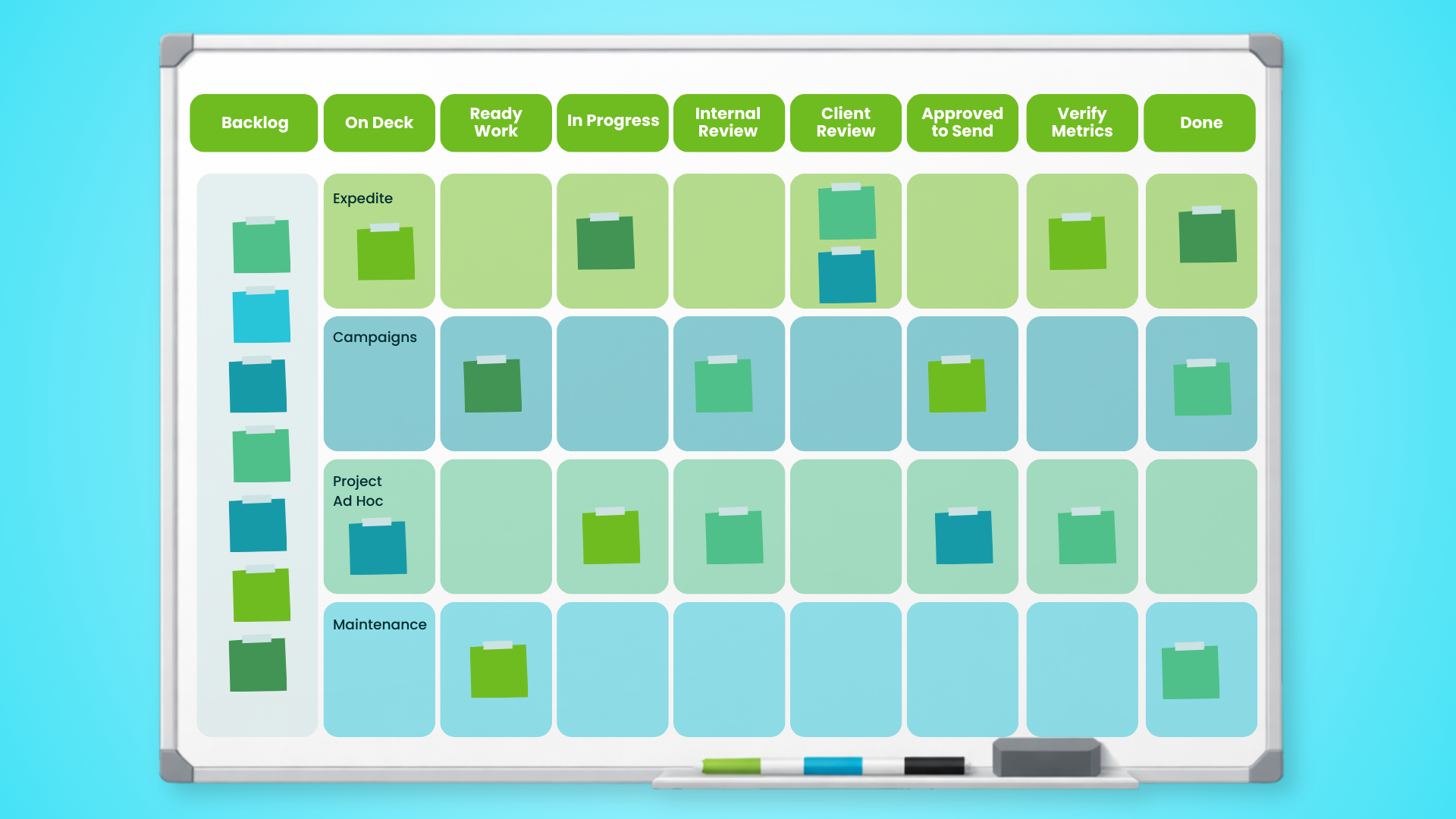
The last Kanban board example on the list is dedicated to teams specializing in email marketing. Given the specificities of the email marketing process, a fitting board would have the following layout:
Columns:
- Backlog
- On Deck
- Ready Work
- In Progress
- Internal Review
- Client Review
- Approved to Send
- Verify Metrics
- Done
Swimlanes:
- Expedite
- Campaigns
- Project Ad Hoc
- Maintenance
The columns follow the most important steps of the marketing process, with a very specific addition related to campaign measurement before the Done stage. The reason for including a column named Verify Metrics (or similar) is that email campaigns serve very different purposes. As a result, you need to be sure what you are consistently measuring their impact before moving each campaign card to the Complete column.
The swimlanes represent priority and group the different types of email marketing work.
How to Create Your First Kanban Board in 5–6 Steps
By now you’ve seen how flexible Kanban boards can be across marketing functions. The fastest way to build your first board is to start simple, borrow a proven template that matches your work, and then evolve it based on what you learn.
1. Pick the template closest to your reality
Don’t design from scratch. Choose the board example in this article that most closely matches your team’s dominant work (content, SEO, events, design, email, digital). Your goal is “useful on Monday,” not “perfect forever.”
2. Name the workflow stages exactly as your team uses them
Adapt column names to your real steps so the board reflects how work actually moves. If “Review” is really “Legal Review” or “Client Review,” call it that. Clarity beats elegance.
3. Define what “Ready” and “Done” mean for your team
Write a few short rules that prevent ambiguity and rework—what must be true before something can start, and what must be true before it’s considered finished. This is where a lot of marketing teams remove chaos without adding meetings.
4. Add a small WIP limit to the most painful column
Don’t try to set limits everywhere on day one. Start by limiting the place where work gets stuck or overwhelms the team most often (usually In Progress or Review). You’ll immediately surface bottlenecks and force finishing over starting.
5. Decide how new work enters the system (intake + priority)
Choose one clear “front door” column (Backlog / Upcoming / Near Future) and define who can add items, how they get prioritized, and how often the team replenishes the board. This protects the team from constant priority churn.
6. Add one lightweight improvement cadence
Commit to a recurring check-in to tune the board—weekly or biweekly is enough. Review where cards are piling up, which work types are causing delays, and what policy or workflow tweak would reduce friction next.
Once your first board is running, resist the urge to add complexity too quickly. Let the board show you what the real constraint is—then evolve your workflow one small improvement at a time.
Common Kanban Board Mistakes Marketing Teams Make
A Kanban board can dramatically improve clarity and flow—but only if it’s treated as a working system, not a decorative artifact. Here are the most common mistakes we see marketing teams make when building and using Kanban boards (and how to avoid them).
Turning the board into a “pretty to-do list”
If cards move inconsistently, statuses don’t mean anything, and the board isn’t updated daily, it becomes a passive tracker instead of a tool for managing flow. A good rule: if the board can’t tell you what’s truly in progress right now, it’s not doing its job.
Skipping WIP limits (and staying overloaded)
Without WIP limits, teams keep starting new work whenever something “urgent” appears—leading to multitasking, context switching, and slow delivery. Even a simple limit on the In Progress or Review column can force finishing and expose bottlenecks quickly.
Overcomplicating the workflow too soon
Too many columns, too many swimlanes, and too many status variations create overhead and confusion. Start with the fewest steps that reflect your real workflow, then add complexity only when the board clearly shows a need for it.
Letting “Review” become a parking lot
Marketing work often stalls in review—waiting on approvals, stakeholders, or clients. If Review piles up, the fix usually isn’t “work harder.” It’s making review policies explicit (what qualifies for review, expected turnaround times, what happens when feedback is late) and setting a WIP limit on review stages.
Mixing unrelated work types without clear policies
Campaign launches, ad hoc requests, maintenance tasks, and strategic projects behave differently. If everything flows the same way, your board becomes noisy and priorities get muddy. Use swimlanes or tags to separate work types—and define how each type should be pulled and prioritized.
Treating urgent work as the default
If everything is “Expedite,” nothing is. Overusing expedite lanes trains the system to ignore prioritization and destroys flow. Use expedite sparingly, make it visible when you break normal rules, and review those moments so you can prevent recurring emergencies.
Avoiding these pitfalls keeps your Kanban board lightweight, truthful, and useful—so it actually reduces chaos instead of documenting it.
Digital vs Physical Kanban Boards (and When Each Works)
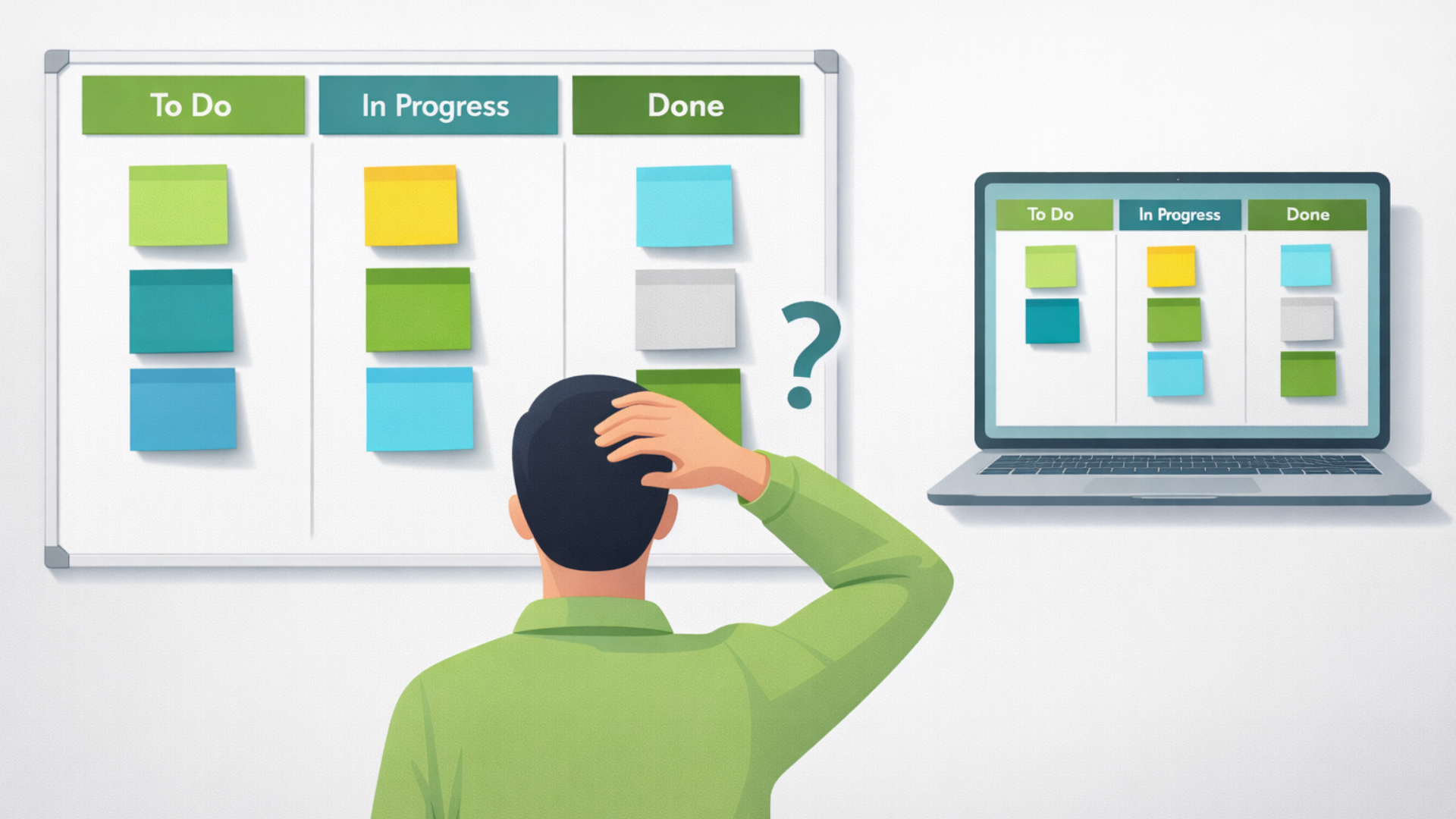
Kanban boards come in two forms: physical (sticky notes on a wall or whiteboard) and digital (tools like Jira, Trello, Asana, Monday, ClickUp, etc.). Both can work well in marketing—the right choice depends on how your team collaborates and what you need the board to do.
Physical boards work best when:
-
Your team is co-located and can see the board throughout the day.
-
You want the lowest-friction setup possible (no tool training required).
-
You’re early in Kanban and want to build habits: visualize work, talk about flow, limit WIP.
-
You benefit from the board being a “social object” that sparks quick alignment conversations.
Digital boards work best when:
-
Your team is remote or hybrid, or stakeholders need visibility without being in the room.
-
You manage high volumes of work, multiple teams, or multiple workflows.
-
You need history and reporting (lead time trends, throughput, recurring blockers).
-
Your work requires links to assets, briefs, feedback threads, or approvals—so the card becomes the “home” for the work.
A Practical Hybrid Approach (Common in Marketing)
Some teams use a physical board for daily flow conversations and a digital board as the system of record. If you do this, keep one clear rule: one board is authoritative (usually the digital one), so you don’t end up maintaining two conflicting sources of truth.
No matter which format you choose, the real driver of success isn’t the tool—it’s whether the board reliably reflects reality, supports clear policies, and helps the team improve flow over time.
Kanban Board FAQs
What columns should a Kanban board have?
Start with the simplest flow that matches your reality: To Do → In Progress → Done. Most marketing teams quickly add at least one review step (like Review or Approval) because feedback loops and stakeholder sign-off are common bottlenecks. The best columns are the ones that reflect meaningful changes in state—not every tiny step someone takes along the way.
What should be on a Kanban card?
A card should contain just enough information to move work forward without extra back-and-forth. For marketing, that usually includes: a clear task title, owner, due date (if relevant), requestor/stakeholder, links to the brief/assets, and a definition of “done.” If reviews are common, include the reviewer and any approval requirements.
What is a WIP limit, and how do we set one?
A WIP (work-in-progress) limit caps how many cards can be in a given column at one time—especially “In Progress” and “Review.” The goal is to reduce multitasking and force finishing over starting. Set an initial limit based on capacity (for example, a small team might start with 2–4 items in progress), then adjust it based on what you observe: if work piles up, the limit is revealing a bottleneck you can fix.
How do we handle urgent requests without breaking the board?
Use a clearly defined Expedite lane or tag—but treat it as an exception. Decide who can declare something urgent, what qualifies, and what gets deprioritized when an expedite item enters the system. Then review expedite usage regularly so “urgent” doesn’t become your default operating mode.
What’s the difference between a Kanban board and a task list?
A task list tracks what needs to be done. A Kanban board tracks how work flows through your system. The difference is that Kanban boards use workflow stages, explicit policies, and WIP limits to expose bottlenecks and improve delivery—not just collect requests. If your board doesn’t help you finish work faster and more predictably, it’s probably acting like a task list.
Kanban Boards for Everyone
As I hope these boards make clear, Kanban is readily applicable to any marketing context. With the help of a Kanban board, you can map every process and embrace Agile practices to help you navigate the situation in the most efficient way.
The designs laid out in this article can give you a customizable foundation for mapping your process in a transparent way. Feel free to experiment with them and add or remove any columns and swimlanes. After all, no Agile transformation is ever 100% complete. Implementing Kanban, or any other kind of business agility, requires continuous evolution and improvement.
Last piece of advice: don’t rush into overcomplicating your Kanban board. Adding too many steps won't give you much value, but it will require a lot more effort for keeping the board up to date. Test what works for your team and evolve your implementation gradually.
To make the most of any Kanban board, be sure to upgrade your Agile knowledge frequently and don't let being busy prevent you from reaching your full potential individually and as a team.
To help you do so even in the busiest of times, we developed a library of content based on years of working with Agile marketing teams, and broken it down into 4 microlearning paths for different contexts:
- Path 1: Agile Basics
- Path 2: Agile Team Applications
- Path 3: Agile Leadership
- Path 4: Agile Culture & Transformation
Each of them contains 10 bite-sized lessons, 20 short engaging videos, and 10+ downloadable resources that can boost your Agile knowledge in minutes even during the busiest days. Or, if you need help from an experienced Agile practitioner you can look into Agile marketing coaching.
Want to see how Agile teams are putting this into practice right now? The 9th Annual State of Agile Marketing Report drops March 26 — join the early access list.
Topics discussed
Improve your Marketing Ops every week
Subscribe to our blog to get insights sent directly to your inbox.